Portfolio Integration in Mewayz (Formerly Seemless)
The Portfolio Add-On is designed to create and manage professional portfolios and showcase work samples.
In the product
Introduction
The Portfolio Add-On is designed to create and manage professional portfolios and showcase work samples. It allows users to organize their work into categories, add detailed descriptions. The system provides both portfolio management and category organization to help users present their work professionally.
How to Install the Add-On?
To Set Up the Portfolio Add-On, you can follow this link: Setup Add-On.
How to Use the Portfolio Add-On?
Manage Portfolio Category
- To create a new Portfolio Category, click the “Create” button. Enter Name of the category and provide a Description explaining what type of work this category represents.
- Use the Is Active toggle switch to control category availability – only active categories appear in the Work Category dropdown when creating portfolios.
- The table displays Name, Description, and Is Active columns. The Is Active column shows Active/Inactive status badges for easy identification.
- Click the Edit button in the action column to modify the category name, description, and active status. Click the Delete button in the action column to remove the category.
- Categories created here appear in the Work Category dropdown when creating new portfolios in the Manage Portfolio section
Manage Portfolio
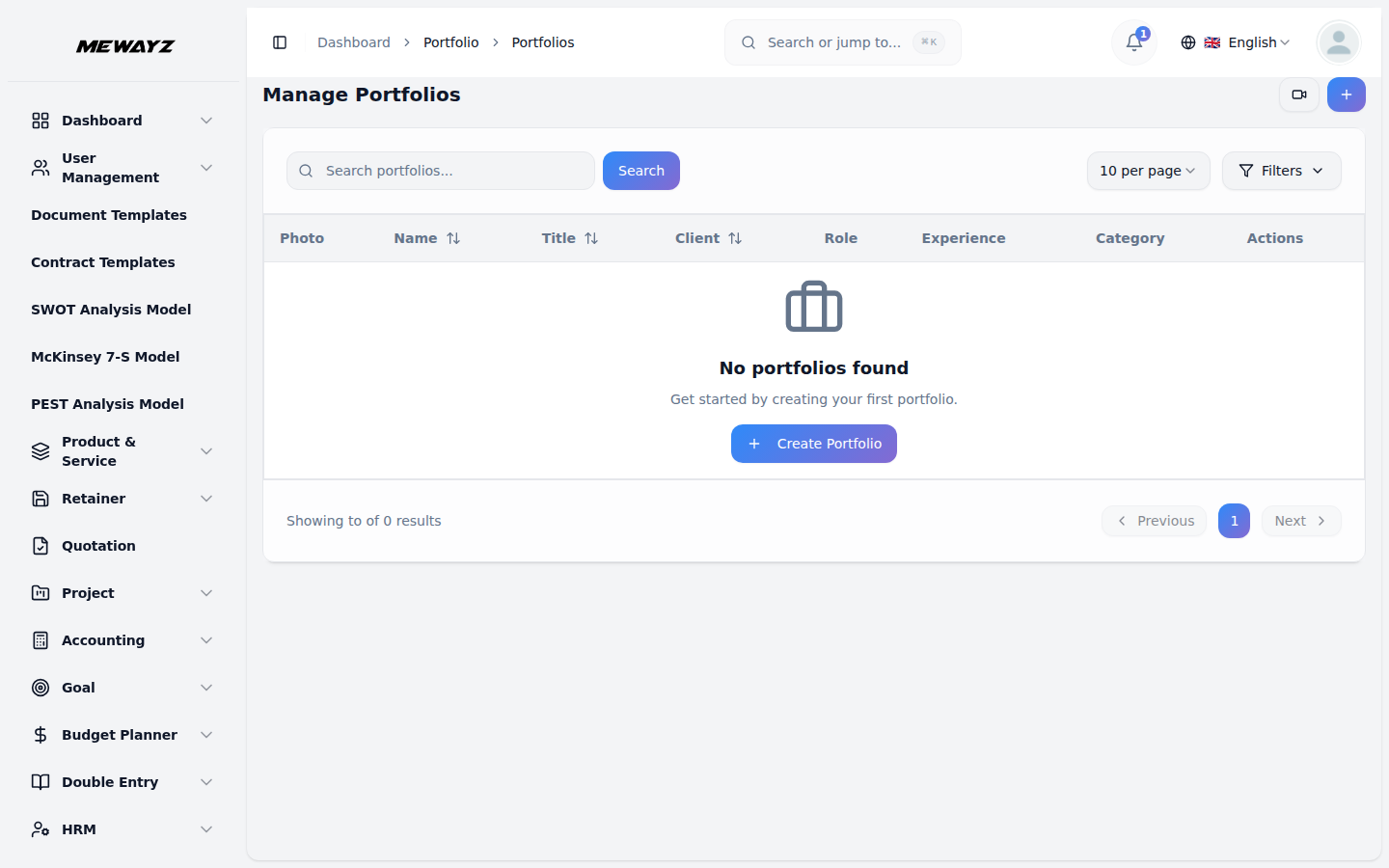
To create a new Portfolio, click the “Create” button at the top of the Portfolio page.
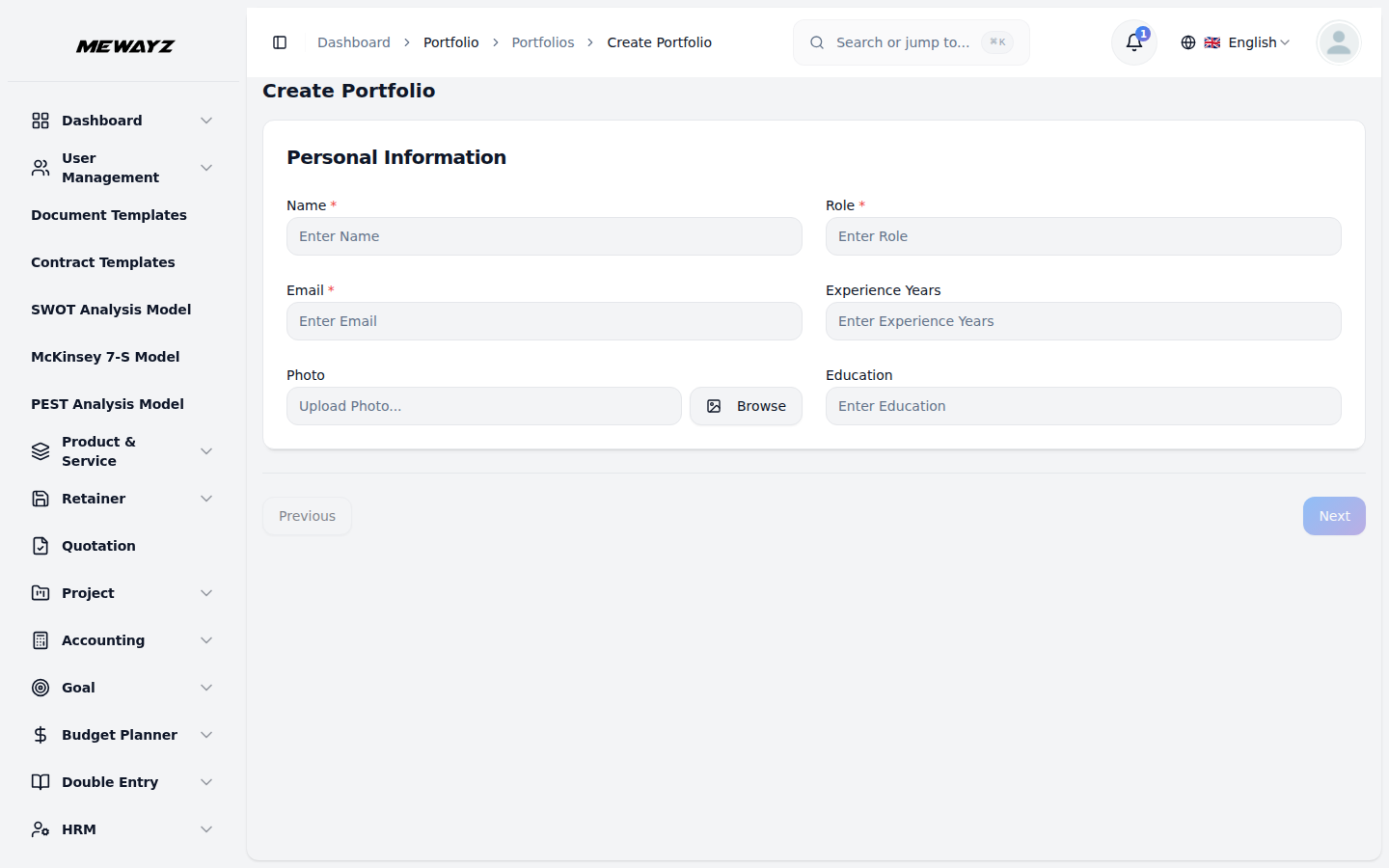
Personal Information Section:
- Enter Name, Role, Email, and Add Experience Years as a numeric value.
- Upload Your Photo using the media picker for profile display
- Include Education Background details such as your degree, university, certification, or educational qualifications.
- After completing the Personal Information section, click the “Next” button to proceed to the Work Details section.
Work Details Section:
- Enter Work Title, Add Brief Description, Select Work Category from dropdown (Here displays only active categories from the Portfolio Category management ).
- Add Client/Company name (the organization you worked with), Include Live URL (link to the live project or website), and Add Source/Repository URL (link to code repository like GitHub).
- Use the Skills/Tools Used tags input to add multiple technologies, programming languages, or tools used. Specify Duration (how long the project took to complete)
- Add Team Size, Set Timeline with Start Date and End Date using date pickers,Include Budget/Value (project cost or value), and Add Industry information.
- After completing the Work Details section, click “Next” to continue to the Work Overview section.
Work Overview Section:
- Write a detailed Description using the rich text editor with formatting options
- Use the Show Overview toggle switch to control whether this section appears on the frontend
- Click “Next” to proceed to the Gallery and Contact sections.
Gallery Section:
- Upload multiple Images for the project showcase using the media picker
- Add Video Link for project demonstrations or walkthroughs
- Use the Show Gallery toggle switch to control section visibility on the frontend
Contact Section:
- Enter Contact Heading (title for the contact section)
- Add Contact Message (invitation or description for potential clients)
- Use the Show Contact toggle switch to control section visibility on the frontend
- Click “Next” to access the Custom Sections.
Custom Sections:
- Add dynamic sections with a custom Title and rich text Content
- Use the “Add Section” button to create multiple custom sections
- Each section can have its own title and detailed content
- Remove sections using the delete button for each section
- The table displays Photo, Name, Work Title, Client Company, Role, Experience, and Category columns.
- Click the Copy button in the action column to copy the link and view the Portfolio.
- Click the Edit button in the action column to modify the portfolio information.
- Click the Delete button in the action column to remove the portfolio permanently.
Front-End Display
- Use the Copy button to copy and open the front-end link of the portfolio. When the copied link is opened in the browser, it displays a comprehensive portfolio showcase featuring:
- Hero Section: Displays project title, brief description, category badge, action buttons (View Live Work, View Details), key technologies, and profile with photo and experience details.
- Dynamic Navigation Tabs: Automatically generated tabs based on enabled sections (Overview, Gallery, Custom Sections) that adapt to toggle settings.
- Overview tab showing detailed project description and complete skills/tools list .Gallery tab with embedded video player and responsive image grid
- Custom sections displaying user-defined content with rich formatting
- Project details, including client/company, duration, team size, role, timeline, budget, industry, and education background, with a prominent contact CTA card.
- The frontend automatically hides sections that are disabled or have no content, ensuring a clean and professional presentation.