Influencer Marketing in Mewayz (Formerly Seemless)
The Influencer Marketing Add-On is a two-sided marketplace connecting brands with content creators (influencers) for sponsored campaigns.
Mewayz (Formerly Seemless)-original module, no Mewayz (Formerly Seemless) upstream. Documentation authored from package source at
packages/mewayz/InfluencerMarketing/.
Introduction
The Influencer Marketing Add-On is a complete marketplace that connects brands (companies sponsoring content) with influencers (creators paid for posts). Brands post campaign briefs (budget, platform, content requirements); influencers browse and apply; admins moderate the marketplace, approve participants, handle withdrawal requests, and process payouts.
The module covers the full lifecycle of an influencer campaign: brand onboarding → campaign creation → influencer discovery → application → approval → execution → payout → review.
How To Install The Add-On?
To Set Up the Influencer Marketing Add-On, you can follow this link: Setup Add-On.
The Add-On is gated by PlanModuleCheck:InfluencerMarketing. Activate it on the operator's plan or per-tenant via the Add-Ons admin page.
Three User Roles
Influencer Marketing has three distinct user types:
- Admin / Company — Marketplace operator. Approves brands and
- Brand — A company sponsoring content. Creates campaigns,
- Influencer — A content creator. Browses available campaigns,
influencers, oversees campaign moderation, processes payout payments, manages categories and tags, and configures the marketplace branding and frontend.
sets budgets and requirements, reviews applying influencers, approves/rejects applications, deposits funds to the brand wallet, and views ROI.
applies to ones they qualify for, manages their profile (avatar, bio, gallery, social media, skills, languages, bank details), requests withdrawal of earnings, leaves reviews, and saves favorites.
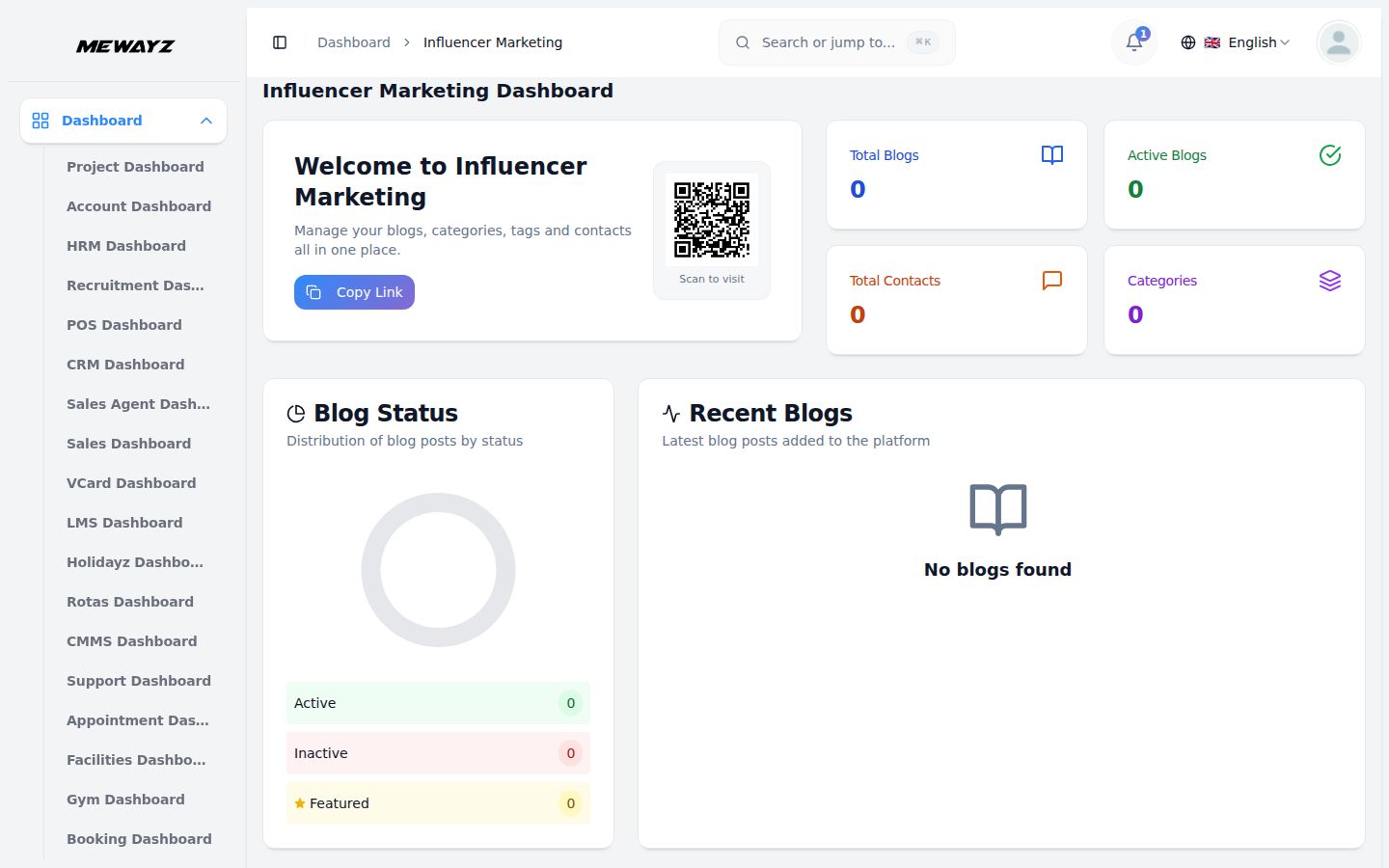
Influencer Marketing Dashboard
- Navigate to Influencer Marketing in the sidebar.
- The admin dashboard at
/influencer-marketing/shows: - Totals: influencers, brands, active campaigns, pending
- Recent activity feed (new applications, approvals, withdrawals)
- Revenue rolled up across all brand transactions
participants, pending payouts
Admin Workflows
Manage Influencers
- Navigate to Influencer Marketing → Influencers.
- The list view shows every registered influencer with profile
- Per-row actions:
- View profile — Full influencer detail
- Status toggle — Block / unblock the account
- Transactions — Open the per-influencer ledger
- Delete — Hard-remove the account (cascades to participants
completeness, status (active / blocked), and a transaction ledger link.
and transactions)
Manage Brands
- Navigate to Influencer Marketing → Brands.
- Same list/actions as influencers, but for brand accounts. Each
brand has its own transaction ledger of deposits and campaign spend.
Manage Campaigns
- Navigate to Influencer Marketing → Campaigns.
- The list spans every campaign across every brand, with status:
- pending — Newly created by the brand, awaiting admin
- approved — Live and visible to influencers
- rejected — Admin-rejected with a reason
- completed — Brand marked complete
- Click any row to see full detail, brand owner, applying
approval
influencers, and review history.
Manage Participants
- Navigate to Influencer Marketing → Participants.
- "Participant" = an influencer application to a specific campaign.
- Admin can view all applications across the marketplace and
intervene by deleting bad-faith applications.
Withdrawal Requests
- Navigate to Influencer Marketing → Withdrawal Requests.
- Influencer-submitted requests to cash out earnings.
- Per-row: Mark as paid (records a row in
payout_payments).
Payout Payments
- Navigate to Influencer Marketing → Payout Payments.
- Ledger of every actual payment sent to an influencer. Mostly
audit-only; can record a payment ID from the operator's bank or PSP for traceability.
Blogs + Contacts
- Blogs — CRUD for marketing blog posts (visible on the public
- Contacts — Inbound messages from the public contact form
marketplace site)
System Setup (Categories + Tags)
- Navigate to Influencer Marketing → System Setup → Categories
- Navigate to System Setup → Tags to CRUD finer-grained tags.
to CRUD campaign categories (e.g. Fashion, Tech, Food, Travel).
Theme Setup
Under Theme Setup, the admin configures every public-facing section of the marketplace:
- Brand Settings — Logo, favicon, marketplace name
- Banner Section — Hero banner
- CTA — Mid-page conversion section
- Social Links — Twitter / IG / FB / etc.
- Platform — Supported platforms (Instagram, TikTok, YouTube,
- How It Works, 3-step explainer
- About Us — About page content
- FAQ — FAQ entries
- Testimonial — Customer testimonials
- Contact Us — Contact page content
- Custom Pages — Privacy policy, ToS, etc.
Twitter)
Brand & Influencer Frontend
Both brands and influencers access a self-serve portal at /{userSlug}/influencer-marketing/... after signing in.
Common (Brand + Influencer)
| Path | Purpose | ||
|---|---|---|---|
/{userSlug}/influencer-marketing/dashboard | Personal dashboard | ||
/profile | View / edit profile (avatar, bio, social links, bank, gallery, skills, languages) | ||
/withdrawals/request | Request a payout (influencer) | ||
/participants/store | Apply to a campaign (influencer) | ||
/favorites/toggle | Save / unsave an influencer or campaign | ||
| `/reviews/store | update | destroy` | Leave / edit / delete reviews |
Brand-only
| Path | Purpose |
|---|---|
/campaigns/create | Create a new campaign with brief, budget, requirements |
/campaigns/{id}/edit | Edit own campaign |
/campaigns/{id}/participants | View applying influencers |
/participants/{id}/approve | Approve an applicant |
/participants/{id}/reject | Reject an applicant |
Influencer-only
| Path | Purpose |
|---|---|
/campaigns | Browse all live campaigns |
/campaign/{id}/detail | Campaign brief detail |
Public Frontend
The fully public marketplace at /{userSlug}/influencer-marketing/ includes:
| Path | Purpose |
|---|---|
/ | Marketplace homepage with hero, featured influencers, CTA |
/about | About page |
/blog, /blog/{slug} | Blog listing + post detail |
/campaigns | Public campaign listing |
/campaign/{id}/detail | Public campaign brief |
/influencers | Public influencer directory |
/influencers/{id}/detail | Public influencer profile |
/faq, /contact | Marketing pages |
/login, /register, /forgot-password | Auth (guest-only) |
Database Tables
The package adds 14+ tables, all prefixed influencer_marketing_:
influencer_marketing_users— Stores both influencer and brandinfluencer_marketing_categories,_tagsinfluencer_marketing_campaignsinfluencer_marketing_participants— Applications + statusinfluencer_marketing_wallets— Earnings ledger per userinfluencer_marketing_brand_transactions— Brand transactioninfluencer_marketing_withdrawal_requests— Influencer payoutinfluencer_marketing_payout_payments— Admin-recorded paymentsinfluencer_marketing_depositsinfluencer_marketing_reviews,_favoritesinfluencer_marketing_contacts,_blogsinfluencer_marketing_setups,_custom_pages
profiles with type discriminator
history
requests
Permissions
Admin access is gated by manage-influencer-marketing. Brand and influencer frontend access is gated by a dedicated guard (auth:web or the InfluencerMarketingAuthenticate middleware). Assign permissions via Settings → Roles & Permissions.
Operator Notes
- Role-picker on signup — When a new user lands on
- Wallet vs. transactions — Each user (brand or influencer) has
- Approval is admin-gated — Both brands and influencers must
- Payment integration — Brand deposits and influencer payouts
- Reviews + favorites — Both directions: brands can review
/{userSlug}/influencer-marketing/register, they pick whether they're signing up as a Brand or as an Influencer. The type column on influencer_marketing_users is what discriminates them in the rest of the app.
a _wallets row holding their current balance, and a stream of ledger rows in _brand_transactions (deposits + campaign spend) or _withdrawal_requests (influencer payouts). Always reconcile via the ledger, the wallet balance is a derived view.
pass admin approval before they can transact. The is_active column on _users is what drives visibility on the public directory.
go through the standard Mewayz (Formerly Seemless) PSP layer; whichever payment gateways are active on the platform work automatically.
influencers they've hired; influencers can favorite brands / campaigns they like.