Build a Branded Business OS for Your Clients in Under 4 Hours: A Step-by-Step Guide
Learn how agencies can build a fully branded, white-label business OS for clients in under 4 hours using modular tools. Boost efficiency and lock in client retention.
Mewayz Team
Editorial Team
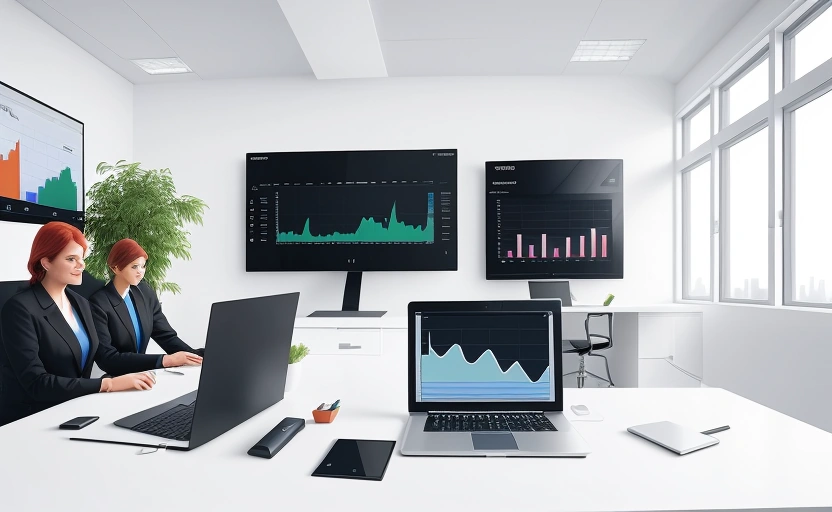
Imagine handing a new client a fully functional, beautifully branded business operating system on the same day you sign the contract. An all-in-one platform with their logo, colors, and custom-selected modules for CRM, project management, invoicing, and more—all live and ready to use in under four hours. This isn't a futuristic dream; it's a tangible competitive edge for agencies looking to deliver unprecedented value and lock in long-term client relationships. By leveraging modular, white-label platforms, you can move beyond piecemeal software recommendations and become the architect of your client's entire operational backbone. This guide breaks down the exact process to turn this vision into a billable, repeatable service.
Why a Branded Business OS is Your Agency's Ultimate Weapon
In a crowded market, agencies compete on more than just creative output or strategic advice. Clients now expect seamless operational support. By providing a branded Business OS, you shift from being a service provider to an indispensable partner. You embed your agency deep within your client's daily workflow, making switching to a competitor a logistical nightmare. This approach dramatically increases client lifetime value. Furthermore, you solve the universal client pain point of juggling a dozen different software subscriptions. You consolidate their stack under one roof, your roof, which you control, brand, and manage.
The financial model is equally compelling. Instead of a one-time setup fee, you can create a recurring revenue stream by reselling the platform. With white-label solutions starting around $100 per month, you can bundle this cost into a higher-value managed service package. For the client, the value is clear: a unified system that saves them time and money. For you, it's a sticky product that generates monthly revenue and strengthens your strategic position.
The 4-Hour Blueprint: Tools and Prerequisites
Accomplishing this in such a short timeframe requires the right foundation. The core ingredient is a modular, white-label-enabled platform like Mewayz. The "modular" aspect is non-negotiable. You need a system where you can activate only the features your client needs—CRM, invoicing, HR, booking—without paying for or dealing with bloatware. The white-label capability allows you to apply your client's branding (logo, color scheme, domain) seamlessly.
Before the clock starts ticking, you need two things from your client: clarity and assets. Clarity means having a pre-sales conversation to map their core processes. What are their biggest operational headaches? Do they need a client portal, a project management hub, or an internal HR system? Second, you need their branding assets: high-resolution logos, brand color codes (HEX values), and preferably a custom subdomain (e.g., ops.clientname.com). With these in hand, the four-hour build is a structured, efficient process.
Step-by-Step: Building the OS in Under 4 Hours
Hour 1: Platform Setup and Core Configuration (0-60 Minutes)
Your first hour is dedicated to groundwork. Sign up for or log into your white-label provider account. Create a new "instance" or "workspace" for your client. Immediately apply the basic white-label settings: upload the client's logo, set the primary and secondary brand colors, and configure the custom domain if available. This initial step ensures that every subsequent action happens within the client's branded environment, making the demo incredibly powerful from the start.
Hour 2: Module Selection and Activation (60-120 Minutes)
This is where modularity shines. Based on your pre-sales discovery, activate only the modules the client needs. For a marketing agency client, you might enable the CRM, Projects, Invoicing, and Analytics modules. For a consultant, perhaps Booking, Proposals, and Time Tracking are key. Avoid the temptation to activate everything "just in case." A focused, relevant system is easier for the client to adopt and looks more professional. Most platforms allow you to enable modules with a single click.
Hour 3: Data Import and Customization (120-180 Minutes)
An empty system isn't useful. Use this hour to populate the OS with the client's live data. Import their client list into the CRM. Set up their service catalog in the Invoicing or Booking module. Create their team members in the HR module. This is the most hands-on phase, but modern platforms offer CSV imports and APIs to speed up the process. The goal is to have the client see their actual data, projects, and contacts inside the new system upon first login.
Hour 4: User Training and Handover (180-240 Minutes)
The final hour is for polish and handover. Create a short, recorded video walkthrough (5-10 minutes) showcasing the key features from the user's perspective. Use a tool like Loom for quick recording. Then, invite the client's team members to the platform. Schedule a 30-minute kickoff call to walk them through the system, answer questions, and present your video guide. This final touch transforms the platform from a piece of software into a managed service, solidifying your role as a trusted advisor.
The goal isn't to build every possible feature in four hours; it's to deliver a fully functional, branded core system that solves the client's most pressing needs on day one.
Real-World Use Cases and Module Combinations
The power of this approach is its flexibility. The modules you choose will vary drastically depending on your client's industry and needs.
- For Marketing Agencies: Combine CRM (to track leads and clients), Projects (to manage campaigns), Invoicing (for billing), and Analytics (to report ROI). This creates a single source of truth for client work.
- For Consultants & Coaches: The Booking module is essential for scheduling calls. Pair it with Proposals, Time Tracking, and Invoicing to manage the entire client engagement lifecycle from a single dashboard.
- For Small Product Businesses: Focus on CRM for customer management, Inventory for stock control, and Invoicing for sales. This replaces a patchwork of spreadsheets and simple payment apps.
Maximizing Profitability and Client Retention
Building the OS is only half the battle; monetizing it effectively is key. Position it as a premium managed service. Instead of itemizing the software cost, bundle it into a monthly retainer that includes platform management, support, and strategic advice. For example, if the white-label fee is $100/month, charge the client $300-$500/month, positioning the difference as your value-add for system administration and ensuring it runs smoothly.
💡 DID YOU KNOW?
Mewayz replaces 8+ business tools in one platform
CRM · Invoicing · HR · Projects · Booking · eCommerce · POS · Analytics. Free forever plan available.
Start Free →This model creates incredible stickiness. The client's operations, data, and team communication now live on a platform you provide. The cost and disruption of leaving your agency become prohibitive. This long-term retention is far more valuable than any one-off project fee. It also opens doors for upselling; as the client grows, you can easily activate new modules like Payroll or Advanced Analytics, increasing your revenue per client.
Common Pitfalls and How to Avoid Them
Even with a streamlined process, speed bumps can occur. The most common mistake is inadequate pre-sales discovery. Rushing into the build without a clear understanding of the client's workflows leads to a mismatched system. Always conduct a thorough intake session first. Another pitfall is over-customization. In a four-hour window, you're aiming for a powerful "version 1.0," not a perfect "version 10.0." Get the core modules live and working; you can always add niche features later based on user feedback.
Finally, avoid neglecting training. A system is only as good as its adoption. The short video walkthrough and onboarding call in Hour 4 are critical for ensuring the client's team actually uses the platform. Without this, your beautiful OS will gather digital dust.
Scaling Your White-Label OS Service
Once you've perfected the four-hour build for one client, you have a scalable, repeatable product. Create standardized packages—Basic, Pro, Enterprise—based on module combinations. This allows you to sell the service proactively rather than reactively. Document your process into a checklist so every team member can deliver the same high-quality result. The ultimate goal is to make the branded Business OS your agency's signature offering, the thing every new client expects to receive.
The ability to deploy a tailored, branded operating system in an afternoon is a game-changer. It demonstrates technical prowess, deep understanding of client needs, and a commitment to their long-term success. By following this blueprint, you're not just selling hours; you're building an integrated partnership. You become the foundation upon which your client's business grows, ensuring your agency's relevance and revenue for years to come.
Frequently Asked Questions
What exactly is a 'Business OS'?
A Business OS, or Operating System, is an all-in-one software platform that consolidates essential business tools like CRM, invoicing, project management, and HR into a single, integrated system, replacing the need for multiple disconnected apps.
Do I need technical skills to build this for a client?
Not necessarily. Using a modular platform like Mewayz, the process involves configuration and setup rather than coding. Basic comfort with importing data and navigating software admin panels is sufficient.
Can I really do this in under four hours for any client?
Yes, if you use a pre-configured white-label platform and complete the essential pre-sales discovery to know exactly which modules to activate. The four-hour timeframe is for the hands-on build and handover after planning is complete.
How much should I charge my clients for this service?
Bundle the white-label platform cost into a managed service package. A common approach is to charge $300-$500 per month, which includes the software license, your setup fee, and ongoing management and support.
What if my client needs a feature not available in the modules?
Modular platforms often have an API ($4.99/module for Mewayz) that allows for custom integrations. For highly specific needs, you can start with the core modules and use the API to connect to other specialized tools the client already uses.
Streamline Your Business with Mewayz
Mewayz brings 208 business modules into one platform — CRM, invoicing, project management, and more. Join 138,000+ users who simplified their workflow.
Start Free Today →Try Mewayz Free
All-in-one platform for CRM, invoicing, projects, HR & more. No credit card required.
Related Guide
Mewayz for Agencies →Client management, project delivery, retainer billing, and white-label options — built for agencies.
Get more articles like this
Weekly business tips and product updates. Free forever.
You're subscribed!
Start managing your business smarter today
Join 30,000+ businesses. Free forever plan · No credit card required.
Ready to put this into practice?
Join 30,000+ businesses using Mewayz. Free forever plan — no credit card required.
Start Free Trial →Related articles
Agency Solutions
Beyond Break-Fix: How IT Service Providers Profit from Business Software Bundles
Mar 10, 2026
Agency Solutions
How to Build a Thriving Partner Ecosystem for Your White-Label Platform
Mar 10, 2026
Agency Solutions
Scaling Franchise Success: How Consultants Leverage White-Label Software
Mar 10, 2026
Agency Solutions
Agency vs. SaaS: Why Your Business Thrives When You Combine Both Models
Mar 10, 2026
Agency Solutions
How to White-Label Your Software: A Customization Guide for Every Industry
Mar 10, 2026
Agency Solutions
Why MSPs Are Adding White-Label Business Tools To Their Stack
Mar 10, 2026
Ready to take action?
Start your free Mewayz trial today
All-in-one business platform. No credit card required.
Start Free →14-day free trial · No credit card · Cancel anytime