Invoice Templates vs. Invoice Software: The Freelancer's Ultimate Guide
Stop wasting time on manual invoices. We compare templates and software to show freelancers what they actually need to get paid faster and run their business smoothly.
Mewayz Team
Editorial Team
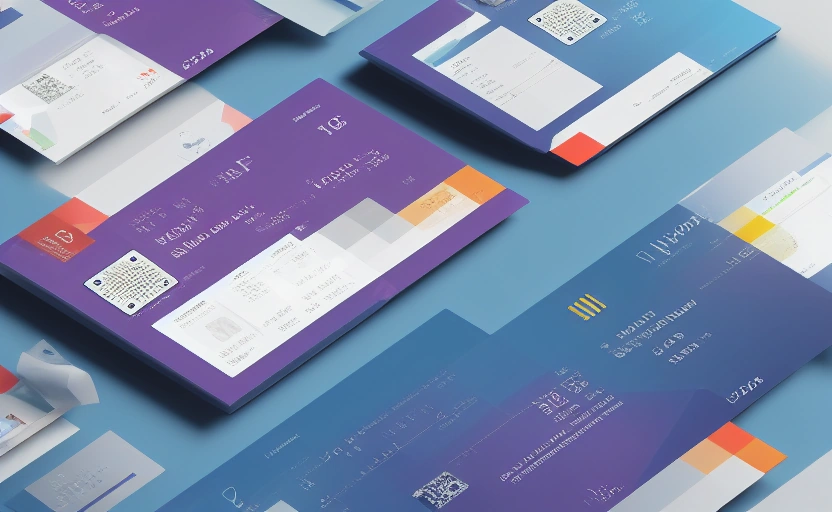
You’ve just wrapped up a fantastic project for a client. The work is delivered, the feedback is glowing, and now comes the moment of truth: getting paid. For many freelancers, this is where the real work begins. The dreaded task of creating, sending, and tracking an invoice can eat up valuable hours you’d rather spend on billable work. The core dilemma for most independent professionals boils down to this: Should I use a simple invoice template, or do I need dedicated invoice software? The answer isn’t one-size-fits-all, but it’s crucial for your cash flow, professionalism, and sanity. This guide cuts through the noise to show you what freelancers actually need, based on the stage of your business and the volume of your work.
Why Your Invoicing Method is a Business Decision, Not Just an Admin Task
Invoicing isn't just about requesting payment. It's a critical touchpoint with your clients and a reflection of your brand. A sloppy, inconsistent invoice can undermine the professional image you’ve worked hard to build. More importantly, your invoicing system directly impacts your cash flow. The longer it takes to create and send an invoice, and the harder it is to track, the longer you wait to get paid. Industry data suggests that freelancers using manual methods spend an average of 5-10 hours per month on invoicing and chasing payments. That’s time you could be using to land your next project. Your choice between a template and software is a strategic decision that affects your bottom line.
What Are Invoice Templates? The DIY Approach
Invoice templates are pre-designed documents, typically in formats like Microsoft Word, Excel, or Google Docs, that you fill in with your client and project details for each new invoice. They are the starting point for many freelancers because they are often free, readily available, and require no learning curve. You download a template, customize it with your logo and info, and save a new copy for every client.
The Allure of the Template
Templates appeal to freelancers who are just starting out or who have a very low volume of invoices. The initial cost is minimal, and you have complete control over the layout. If you only send one or two invoices a month, a template can seem sufficient. You’re not locked into a subscription, and you own the files.
The Hidden Costs of "Free" Templates
While templates appear free, they come with significant hidden costs in terms of time and efficiency. Manually entering data for each invoice is prone to errors. Forgetting to update a date or invoice number can cause delays. There’s no automation for recurring clients or retainers. Most critically, tracking which invoices are sent, viewed, overdue, and paid becomes a manual spreadsheet exercise that is time-consuming and unreliable.
What Is Invoice Software? The Automated Powerhouse
Invoice software, like the invoicing module within Mewayz, is a dedicated platform designed to automate the entire billing process. Instead of creating documents from scratch, you input client and project information once. The software then generates professional, branded invoices in seconds, sends them automatically, tracks their status, and can even process online payments.
This is more than just a fancy template. It’s a system that integrates invoicing with other business functions. For example, time tracked in a project management tool can automatically populate an invoice. When a client pays online, the invoice is marked as paid, and your accounting records are updated instantly. This eliminates double data entry and reduces administrative overhead by up to 80%.
Head-to-Head Comparison: Breaking Down the Key Differences
Let’s put these two options side-by-side to see how they stack up across the metrics that matter most to freelancers.
Cost and Investment
- Templates: Seemingly free to start, but the time spent on manual tasks has a real cost. A freelancer charging $75/hour who spends 5 hours a month on invoicing is effectively spending $375 per month.
- Software: Requires a subscription fee. Mewayz, for instance, includes robust invoicing in its $19/month plan. This is a predictable expense that often pays for itself in time saved.
Time Efficiency and Automation
- Templates: Zero automation. Every step is manual: creating, saving, emailing, tracking, following up.
- Software: High automation. Create invoice templates for recurring clients, auto-send reminders for overdue payments, and accept payments with a click. What used to take an hour can now take 60 seconds.
Professionalism and Branding
- Templates: Can look professional if well-designed, but consistency is hard to maintain. Sending a PDF attached to an email can feel less modern.
- Software: Generates consistently branded invoices with your logo and colors. Clients receive a clean, professional link or portal experience, enhancing trust.
Tracking and Financial Management
- Templates: You are the tracking system. You must manually update a spreadsheet to see who has paid, what’s overdue, and your monthly revenue. This is error-prone.
- Software: Provides a real-time dashboard showing the status of every invoice (Sent, Viewed, Paid, Overdue). It can generate reports on your earnings, outstanding payments, and tax liabilities, giving you a clear financial picture.
"The shift from manual invoicing to an automated system isn't just about saving time; it's about gaining control. Freelancers who automate report getting paid 2-3 times faster because the system does the chasing for them."
The Verdict: When a Template is Actually Enough
Despite the advantages of software, there are specific scenarios where a simple template might be sufficient—for now.
You might be okay with a template if: You are a true beginner with only a handful of projects per year. Your clients are all long-term and pay reliably without reminders. You have a very simple fee structure (e.g., fixed project rate) and don't need to track time or expenses. You have more time than money and don't mind the manual administrative work.
Think of a template as a temporary solution. The moment your business grows, the limitations will become painfully apparent.
💡 DID YOU KNOW?
Mewayz replaces 8+ business tools in one platform
CRM · Invoicing · HR · Projects · Booking · eCommerce · POS · Analytics. Free forever plan available.
Start Free →Why Invoice Software is the Clear Winner for Most Freelancers
For the vast majority of freelancers who are serious about building a sustainable business, invoice software is not a luxury; it's a necessity. The efficiency gains alone justify the cost. But the benefits run deeper.
Software transforms invoicing from a reactive task into a proactive business process. Automated payment reminders ensure you don't have to have awkward conversations with clients about late payments. Integrated online payment options (like credit cards or PayPal) remove friction for clients, leading to faster payments. With a clear view of your cash flow, you can make smarter decisions about expenses, investments, and when to take on new projects.
A Step-by-Step Plan to Upgrade Your Invoicing System
If you're ready to move beyond templates, here’s a practical guide to implementing invoice software without the hassle.
- Audit Your Current Process: For one month, track exactly how much time you spend creating, sending, and tracking invoices. This will quantify the problem.
- Choose Your Software: Look for a platform like Mewayz that offers a free tier or trial. Key features to prioritize: online payments, automatic reminders, recurring invoice templates, and a mobile app.
- Set Up Your Account: Input your business details, logo, and payment terms. Add your existing clients to the system.
- Create Your First Invoice Templates: Set up standard templates for your most common project types (e.g., hourly, fixed fee, retainer).
- Run a Parallel Test: For your next 2-3 invoices, create them in both your old template and the new software. This builds confidence.
- Go Live and Automate: Start sending all invoices through the software. Set up automatic payment reminders for 7, 14, and 30 days overdue.
- Integrate and Analyze: Connect your software to your bank account and use the reporting features to monitor your financial health.
Looking Ahead: Invoicing as a Growth Engine
The future of freelancing is integrated. Your invoicing tool shouldn't be an island; it should connect to your CRM, time-tracking, and project management tools. This creates a seamless workflow where a completed project automatically triggers an invoice. As your business scales, you'll need these integrated systems to handle increased complexity without increasing your administrative burden. Investing in the right software from the start positions you for growth, allowing you to focus on what you do best—your craft.
The question isn't really templates vs. software. It's about choosing the tool that empowers you to work smarter, get paid faster, and build a business that lasts. For most freelancers, that tool is unequivocally invoice software.
Frequently Asked Questions
Can I really get paid faster with invoice software?
Yes. Software with online payment options and automated reminders significantly reduces payment delays. Clients can pay instantly with a click, and gentle nudges for overdue invoices ensure you don't have to chase them manually.
I only have 3 clients. Is software overkill for me?
Not necessarily. Even with a few clients, software saves time on creating invoices and provides crucial tracking. It becomes especially valuable if you bill recurring fees or want to project a highly professional image.
Are my client's payment details secure in invoice software?
Reputable software like Mewayz uses bank-level encryption and secure payment gateways (like Stripe or PayPal) to process transactions. Your client's financial data is far more secure than in an email exchange.
What's the biggest mistake freelancers make with invoicing?
The biggest mistake is inconsistency—sending invoices late, using different formats, or failing to follow up. This delays payments and appears unprofessional. Software enforces consistency and timeliness.
Can I customize invoices in software as much as I can in a Word template?
Absolutely. Good invoice software allows you to add your logo, choose colors, set payment terms, and customize fields. You get a professional result without the manual design work of a Word template.
All Your Business Tools in One Place
Stop juggling multiple apps. Mewayz combines 208 tools for just $49/month — from inventory to HR, booking to analytics. No credit card required to start.
Try Mewayz Free →Try Mewayz Free
All-in-one platform for CRM, invoicing, projects, HR & more. No credit card required.
Related Guide
Mewayz for Freelancers →Pipeline tracking, client invoicing, project management, and proposals — for independent professionals.
Get more articles like this
Weekly business tips and product updates. Free forever.
You're subscribed!
Start managing your business smarter today
Join 30,000+ businesses. Free forever plan · No credit card required.
Ready to put this into practice?
Join 30,000+ businesses using Mewayz. Free forever plan — no credit card required.
Start Free Trial →Related articles
Business Operations
How a Kenyan Logistics Startup Built Fleet Management Without Custom Software: A Mewayz Case Study
Mar 9, 2026
Business Operations
35+ White-Label SaaS Statistics: The Agency Revenue Opportunity (2026)
Mar 9, 2026
Business Operations
The Ultimate Guide to Building a Business OS From Scratch (2026)
Mar 9, 2026
Business Operations
How Batik Budaya Built a DTC Fashion Empire on Mewayz: A Jakarta Case Study
Mar 9, 2026

Business Operations
40+ AI in Business Statistics: Adoption Rates and ROI Data for 2026
Mar 9, 2026

Business Operations
How To Sell Physical And Digital Products From A Single Platform
Mar 9, 2026
Ready to take action?
Start your free Mewayz trial today
All-in-one business platform. No credit card required.
Start Free →14-day free trial · No credit card · Cancel anytime