Build Your Own Custom Report Builder: A No-Code Guide for Business Users
Step-by-step guide to building a custom report builder for business users without coding. Learn best practices, data modeling, UI design, and how Mewayz simplifies the process.
Mewayz Team
Editorial Team
Why Every Business Needs a Custom Report Builder
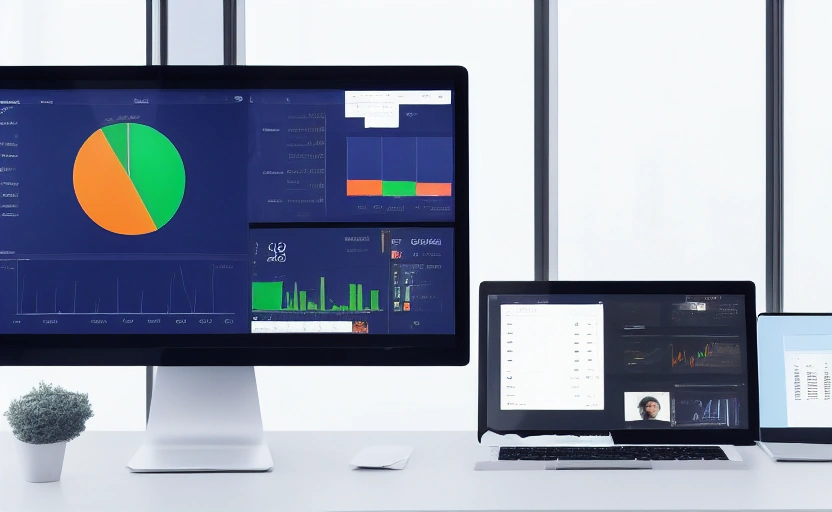
In today's data-driven business environment, generic reporting tools often fall short. Teams waste hours manipulating spreadsheets, waiting for IT to generate reports, or struggling with rigid dashboards that don't answer specific business questions. A custom report builder empowers non-technical users to create, customize, and share reports that directly address their unique operational needs. When marketing needs to analyze campaign ROI by region while sales wants to track lead conversion rates by team member, a one-size-fits-all solution simply doesn't cut it.
The cost of not having flexible reporting is staggering. According to recent studies, knowledge workers spend up to 30% of their time searching for information and another 20% recreating existing reports. That's nearly half the workweek lost to inefficient data handling. Building a custom report builder directly addresses this productivity drain by putting data exploration and visualization directly in the hands of those who need it most.
Understanding the Core Components of a Report Builder
Before diving into building, it's crucial to understand what makes a report builder truly effective. The foundation rests on three key pillars: data connectivity, visualization options, and user experience. Each component must work seamlessly together to create a tool that business users will actually adopt and use regularly.
Data connectivity involves establishing secure access to your various data sources—whether it's your CRM, accounting software, marketing platforms, or custom databases. The visualization layer determines how users can represent their data through charts, graphs, tables, and KPIs. Most importantly, the user experience must be intuitive enough that non-technical staff can build reports without training manuals or IT support.
The Data Model: Your Reporting Foundation
Your data structure determines what's possible in reporting. A well-designed data model anticipates common reporting scenarios while maintaining flexibility for unexpected queries. Start by identifying the key entities your business tracks—customers, orders, products, employees—and define the relationships between them. This foundational work pays dividends when users want to analyze, for example, sales performance by product category across different regions over time.
Visualization Options That Speak Business Language
The most effective report builders offer visualization options that match how business users think. While developers might focus on technical specifications, your sales team needs bar charts comparing quarterly performance, your marketing department requires funnel visualizations for conversion rates, and your operations team needs geographic maps for regional analysis. Offering the right mix of chart types for your specific business context is crucial for adoption.
Step-by-Step: Building Your Custom Report Builder
Building a custom report builder might seem daunting, but breaking it down into manageable steps makes the process achievable even for teams without extensive technical resources.
Step 1: Define User Requirements
Start by interviewing stakeholders from different departments about their reporting needs. What questions do they need answered? What decisions do these reports support? Document specific use cases like "Marketing needs to track campaign ROI by channel" or "Operations requires inventory turnover reports by warehouse."
Step 2: Map Your Data Sources
Identify where your data lives and how to connect to each source. This might include your CRM (like Mewayz's customer module), financial systems, marketing platforms, and operational databases. Ensure you understand data refresh requirements—some reports need real-time data while others can work with daily updates.
Step 3: Design the User Interface
Create wireframes showing how users will select data fields, apply filters, choose visualizations, and customize report layouts. Focus on simplicity—the goal is to make report building as intuitive as dragging and dropping elements rather than writing queries.
Step 4: Develop the Backend Logic
This is where the technical work happens. You'll need to create APIs that fetch data, process filtering requests, and generate the requested visualizations. If using a platform like Mewayz, you can leverage existing modules and APIs ($4.99/module) rather than building everything from scratch.
Step 5: Implement Security and Access Controls
Not every user should see all data. Implement role-based permissions so that sales representatives only see their accounts, managers see team data, and executives see company-wide metrics. Data security is non-negotiable.
Step 6: Test with Real Users
Before full deployment, have representative users from different departments test the report builder. Observe where they struggle and refine the interface accordingly. This iterative process dramatically improves final adoption rates.
Step 7: Deploy and Provide Ongoing Support
Roll out the report builder to your organization with clear documentation and training resources. Monitor usage patterns to identify additional features that would enhance value.
Key Features Your Report Builder Must Include
Not all report builders are created equal. The most successful implementations share these essential features that drive user adoption and business value.
- Drag-and-Drop Interface: Enable users to build reports visually without technical skills
- Real-Time Data Refresh: Ensure reports reflect the most current information
- Multiple Export Options: Support PDF, Excel, and presentation-ready formats
- Scheduled Reporting: Automate regular report distribution
- Collaboration Features: Allow teams to share, comment on, and refine reports together
- Mobile Responsiveness: Ensure reports are accessible on any device
- Template Library: Provide starting points for common reporting needs
Beyond these basics, consider advanced features that differentiate your solution. Natural language querying ("show me sales by region last quarter"), predictive analytics integration, and automated insights ("notable trends detected") can transform your report builder from a passive tool to an active business partner.
Common Pitfalls to Avoid When Building Report Tools
Many well-intentioned report builder projects fail due to predictable mistakes. Understanding these pitfalls upfront can save significant time and resources.
💡 DID YOU KNOW?
Mewayz replaces 8+ business tools in one platform
CRM · Invoicing · HR · Projects · Booking · eCommerce · POS · Analytics. Free forever plan available.
Start Free →The most common error is over-engineering. Teams often build for edge cases that rarely occur, creating unnecessary complexity that overwhelms regular users. Start with the 80% of reporting needs that cover most business scenarios, then expand based on actual usage patterns. Another frequent mistake is neglecting performance optimization. Reports that take minutes to generate will be abandoned regardless of how powerful their features might be.
Security oversights represent another critical risk. Failing to properly implement data access controls can lead to sensitive information being exposed to unauthorized users. Always conduct thorough security testing before deployment. Finally, many projects underestimate the importance of user training and change management. The most sophisticated report builder will fail if users don't understand how to leverage its capabilities.
The most successful report builders don't try to do everything—they do the most important things exceptionally well. Focus on solving specific business problems rather than creating a Swiss Army knife that tries to address every possible scenario.
How Mewayz Simplifies Custom Report Building
Building a custom report builder from scratch requires significant technical resources and ongoing maintenance. Platforms like Mewayz offer a compelling alternative by providing the foundational components your business needs while maintaining customization flexibility.
With 208 modular components including CRM, invoicing, payroll, HR, and analytics, Mewayz provides pre-built data models and connections that accelerate report builder development. Instead of building data connectors for each system, you can leverage existing integrations and focus on the unique reporting interface your users need. The platform's API access ($4.99 per module) enables developers to extend functionality while maintaining the security and reliability of an established platform.
For businesses that need to white-label their reporting solution, Mewayz offers white-label capabilities starting at $100/month. This allows you to present the report builder as your own branded tool while avoiding the development overhead of building everything internally. The platform's free tier also makes it accessible for businesses to prototype and test reporting concepts before committing significant resources.
Measuring the Impact of Your Custom Report Builder
Implementing a custom report builder represents an investment, and measuring its return ensures continued support and improvement. Track both quantitative and qualitative metrics to demonstrate value.
Quantitatively, monitor time savings by comparing how long reports took to create before and after implementation. Track report usage patterns—how many reports are created weekly, which departments are most active, and which features see the most use. Qualitatively, gather user feedback through surveys and interviews. Are teams making better decisions? Are they identifying opportunities or issues faster?
The most successful implementations often reveal unexpected benefits. Marketing might discover underserved customer segments, operations might identify process bottlenecks, and executives might gain visibility into previously hidden trends. These insights often deliver value far beyond the initial time savings from faster report generation.
The Future of Business Reporting: What's Next
Reporting tools are evolving from passive data presentation to active business intelligence partners. The next generation of report builders will incorporate artificial intelligence to automatically surface insights, predict trends, and suggest relevant visualizations based on the questions users are trying to answer.
Natural language processing will enable users to simply ask questions in plain English and receive fully formatted reports. Automated anomaly detection will flag unusual patterns that might indicate opportunities or risks. Integration with external data sources will provide context that makes internal metrics more meaningful. As these technologies mature, the line between reporting tools and decision-support systems will continue to blur.
The businesses that thrive will be those that empower their teams with tools that transform data into actionable intelligence. Whether you build your custom report builder from scratch or leverage platforms like Mewayz, the goal remains the same: putting the right information in the right hands at the right time to drive better business outcomes.
Frequently Asked Questions
What's the biggest advantage of a custom report builder over standard reporting tools?
Custom report builders address your specific business questions and workflows, unlike generic tools that force you to adapt to their limitations. They save significant time by eliminating manual data manipulation and waiting for IT support.
Do I need technical expertise to build a custom report builder?
While technical resources help, platforms like Mewayz provide modular components that reduce development complexity. Business users can prototype using drag-and-drop interfaces, with developers handling more advanced customizations via API.
How long does it typically take to build a custom report builder?
Timelines vary based on complexity, but a basic MVP can often be delivered in 4-8 weeks. Using modular platforms can accelerate development by providing pre-built data connections and visualization components.
What are the most important security considerations for a report builder?
Implement robust role-based access controls to ensure users only see data they're authorized to view. Secure data transmission, regular security audits, and compliance with data protection regulations are essential.
How do I ensure my team actually uses the custom report builder?
Involve users in the design process, provide clear training, and start with solving their most pressing reporting pain points. Regular feedback loops and iterative improvements based on actual usage patterns drive adoption.
Streamline Your Business with Mewayz
Mewayz brings 208 business modules into one platform — CRM, invoicing, project management, and more. Join 138,000+ users who simplified their workflow.
Start Free Today →Try Mewayz Free
All-in-one platform for CRM, invoicing, projects, HR & more. No credit card required.
Get more articles like this
Weekly business tips and product updates. Free forever.
You're subscribed!
Start managing your business smarter today
Join 30,000+ businesses. Free forever plan · No credit card required.
Ready to put this into practice?
Join 30,000+ businesses using Mewayz. Free forever plan — no credit card required.
Start Free Trial →Related articles
Business Operations
The Rise Of Micro-Entrepreneurs In Thailand And How They Manage Operations
Mar 10, 2026

Business Operations
From Advice to Code: How Consultants Are Productizing Their Expertise
Mar 10, 2026
Business Operations
How One Creator Went From Link-in-Bio to Full Business OS (and 3x'd Revenue)
Mar 10, 2026
Business Operations
How a Bangkok Tour Operator Managed Peak Season Bookings Without Hiring Additional Staff
Mar 10, 2026
Business Operations
Why Audit Logging Is Your Business's Best Defense Against Compliance Fines
Mar 10, 2026
Business Operations
How to Build a Custom Report Builder Your Team Will Actually Use
Mar 10, 2026
Ready to take action?
Start your free Mewayz trial today
All-in-one business platform. No credit card required.
Start Free →14-day free trial · No credit card · Cancel anytime