How to Migrate Your Business Data Without Losing Your Mind or Your Data
A step-by-step guide to migrating business data between software platforms. Learn how to plan, execute, and verify a safe data transfer with Mewayz.
Mewayz Team
Editorial Team
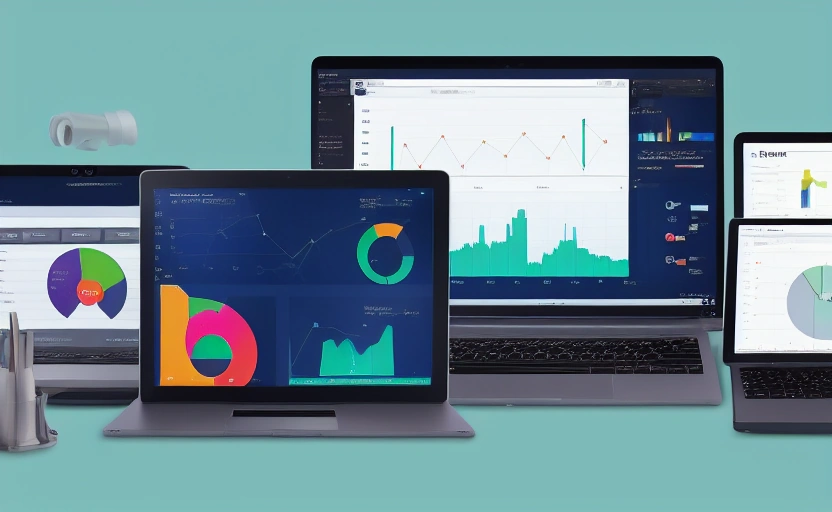
The Data Migration Challenge: Why Getting It Right Matters
Migrating your business data from one software platform to another is a high-stakes operation. It's not just about moving customer records or invoices; it's about transferring the lifeblood of your company. A botched migration can lead to lost sales, incorrect payroll, compliance issues, and a massive hit to team morale. Yet, the promise of a more powerful, integrated system like Mewayz makes the process essential for growth. Whether you're moving from a legacy CRM, a basic invoicing tool, or a patchwork of spreadsheets, a strategic approach turns a potential nightmare into a smooth transition.
Consider a real-world example: a small e-commerce business moving from a simple spreadsheet for orders to a unified platform. Without a clear plan, they risk duplicating orders, losing customer contact info, and misaligning inventory levels. But with a methodical process, they can automate their workflow, gain real-time analytics, and scale efficiently. The key isn't just the technical transfer; it's ensuring business continuity.
Conduct a Thorough Pre-Migration Audit
Before you write a single line of code or export a single CSV file, you must know exactly what data you have, where it lives, and its quality. This audit phase is the foundation of a successful migration. Start by cataloging all your data sources—your current CRM, accounting software, HR system, and even those shared drives filled with Excel files. For each source, identify the data types: customer profiles, transaction histories, employee records, product catalogs, etc.
Next, assess the health of this data. How many records have missing fields? Are there inconsistencies in formatting (e.g., phone numbers with and without country codes)? Is some data obsolete? Cleaning your data *before* migration saves countless hours of troubleshooting later. A retail client of ours discovered that 15% of their customer records had invalid email addresses; fixing this pre-migration improved their post-migration marketing campaign performance by 20%.
Identify Data Dependencies and Relationships
Data rarely exists in isolation. A customer record might be linked to multiple invoices, which are linked to specific products and payments. Mapping these relationships is critical. If you migrate customers without their corresponding invoice history, your sales team loses context. Use entity-relationship diagrams or simple spreadsheets to visualize how your data connects. This map will guide your migration sequence and ensure integrity.
Choose the Right Migration Strategy: Big Bang vs. Phased
There are two primary ways to execute a data migration: the Big Bang and the Phased approach. Your choice depends on your business's size, complexity, and tolerance for downtime.
- The Big Bang Migration: You transfer all data in a single operation over a weekend or scheduled downtime. This is faster but riskier. If something goes wrong, it affects the entire business. It's best for smaller businesses with straightforward data sets and where a brief shutdown is acceptable.
- The Phased Migration: You move data in stages—by department, by data type, or by module. For example, migrate your CRM data first, then invoicing, then HR. This approach minimizes disruption and allows teams to adapt gradually. It's ideal for larger organizations or complex migrations where business continuity is paramount.
Most of our clients using Mewayz opt for a phased approach, especially when leveraging our modular structure. They might start with the CRM module, ensuring the sales team is operational, before moving to invoicing and analytics. This reduces risk and spreads the training load.
Building Your Data Migration Checklist: A Step-by-Step Plan
A detailed, actionable plan is your best defense against chaos. Break the process down into manageable phases with clear owners and deadlines.
- Planning & Scoping (Week 1-2): Define the project scope, budget, and team. Appoint a migration lead. Finalize your data audit and relationship maps.
- Data Cleansing (Week 3-4): Dedicate time to scrubbing your source data. Fix formatting, remove duplicates, and archive obsolete records. This might be the most time-consuming part.
- Test Migration (Week 5): Perform a trial run with a small, non-critical subset of data (e.g., 100 customer records). Import this into a sandbox environment in Mewayz. Check for errors and validate data integrity.
- Full Migration Execution (Week 6): Execute the main migration based on your chosen strategy (Big Bang or Phased). Communicate the schedule to all employees. Have a rollback plan ready.
- Verification & Validation (Week 7): After migration, run reports to spot-check data. Ensure record counts match, and critical workflows function. Have key users test the system.
- Go-Live & Support (Week 8+): Officially switch to the new platform. Provide immediate support and training. Monitor the system closely for the first few weeks.
The goal of migration isn't just to move data; it's to unlock new capabilities. A well-executed migration is an investment in future efficiency.
Leverage the Right Tools for Extraction, Transformation, and Loading (ETL)
The technical heart of migration is the ETL process: Extracting data from the source, Transforming it to fit the new system's requirements, and Loading it into the destination. While manual CSV exports and imports work for tiny datasets, they are error-prone and unsustainable for anything beyond a few hundred records.
This is where platforms with robust API support, like Mewayz, shine. Our API (priced at $4.99 per module) allows for automated, programmatic data transfer. You can write scripts or use integration tools like Zapier to pull data from your old system, reformat it (e.g., changing date formats, merging fields), and push it directly into Mewayz's modules. This automation ensures accuracy and speed. For one agency client, using our API cut their migration time from a projected two weeks down to three days.
Understanding Data Mapping
Transformation is all about data mapping. You must create a "dictionary" that translates fields from your old system to the new one. For instance, the field "Cust_Name" in your legacy database might map to "Full Name" in Mewayz's CRM. Meticulous mapping prevents data from ending up in the wrong place.
💡 DID YOU KNOW?
Mewayz replaces 8+ business tools in one platform
CRM · Invoicing · HR · Projects · Booking · eCommerce · POS · Analytics. Free forever plan available.
Start Free →Testing: The Non-Negotiable Safeguard
Never, ever skip the testing phase. A test migration with a small batch of data is your dress rehearsal. It reveals issues with your mapping logic, data formatting, and API limits before you commit. After the test, have your team validate the data. Does a customer's full history appear correctly? Do the numbers in the new analytics module match the old reports? This validation catches problems that automated checks might miss.
We recommend running at least two test cycles. The first often uncovers major structural issues. The second refines the process and builds confidence. One of our e-commerce users found a critical bug in their product SKU mapping during the second test, saving them from a catastrophic inventory error at go-live.
Post-Migration: Training, Support, and Optimization
Your work isn't done when the data is loaded. The first month post-migration is critical for user adoption and system optimization. Provide comprehensive training focused on the new workflows enabled by the platform. Show your team how the integrated CRM and invoicing in Mewayz can save them time, rather than just showing them where buttons are.
Establish a clear support channel for questions and issues. Designate super-users in each department. Monitor system usage and performance closely. This is also the time to explore advanced features you couldn't use before. Now that your data is in a unified system, you can leverage cross-module analytics to gain insights you never had access to.
The Future-Proof Business Runs on Integrated Data
A successful data migration is more than a technical project; it's a strategic leap forward. By moving to a cohesive business OS like Mewayz, you're not just changing software—you're building a foundation for scalable growth. The initial effort pays dividends in streamlined operations, deeper insights, and the agility to adapt to new challenges. The businesses that thrive are those that treat their data as a unified asset, not a scattered liability. Your migration journey, planned and executed with care, is the first step toward that future.
Frequently Asked Questions
How long does a typical business data migration take?
A typical migration for a small to midsize business takes 4-8 weeks, depending on data volume and complexity. The planning, cleansing, and testing phases often take longer than the actual data transfer.
What is the biggest risk in data migration?
The biggest risk is data corruption or loss due to poor planning. Without a thorough audit and testing, you can migrate incorrect, duplicate, or incomplete data, crippling business operations.
Can I migrate data myself, or do I need a specialist?
For simple migrations (under 1,000 records), a tech-savvy team member can handle it using CSV imports. For larger, more complex moves, involving a specialist or using a platform with strong API support like Mewayz is highly recommended to avoid errors.
What should I do with my old data after migration?
Do not delete it immediately. Archive the old database in a secure but separate location for at least 3-6 months as a backup reference in case post-migration discrepancies are discovered.
How does Mewayz simplify the data migration process?
Mewayz's modular API allows for automated, field-by-field data mapping and transfer, reducing manual effort. Its unified platform also means you only need to migrate data once, instead of to multiple disconnected systems.
Build Your Business OS Today
From freelancers to agencies, Mewayz powers 138,000+ businesses with 208 integrated modules. Start free, upgrade when you grow.
Create Free Account →Try Mewayz Free
All-in-one platform for CRM, invoicing, projects, HR & more. No credit card required.
Get more articles like this
Weekly business tips and product updates. Free forever.
You're subscribed!
Start managing your business smarter today
Join 30,000+ businesses. Free forever plan · No credit card required.
Ready to put this into practice?
Join 30,000+ businesses using Mewayz. Free forever plan — no credit card required.
Start Free Trial →Related articles
Business Operations
Stop Wasting Hours: The Best Free Appointment Scheduling Tools for 2024
Mar 7, 2026
Business Operations
How Music Artists Are Monetizing Beyond Streaming With Business Tools
Mar 7, 2026
Business Operations
Stop Waiting for Payment: The Freelancer's Complete Guide to Getting Paid Faster
Mar 7, 2026
Business Operations
Stop Overpaying for Time Tracking: How to Manage Billing on a Budget
Mar 7, 2026

Business Operations
How To Create A Professional Portfolio That Converts Visitors To Clients
Mar 7, 2026

Business Operations
How To Build A Professional Online Presence For Free
Mar 7, 2026
Ready to take action?
Start your free Mewayz trial today
All-in-one business platform. No credit card required.
Start Free →14-day free trial · No credit card · Cancel anytime