Project Management for Non-Tech Teams: A Practical Guide to Choosing Your Tool
Struggling with projects? Learn how non-technical teams can select the perfect project management tool. Compare features, pricing, and get a step-by-step selection process.
Mewayz Team
Editorial Team
You Don't Need to Be a Tech Whiz to Manage Projects Brilliantly
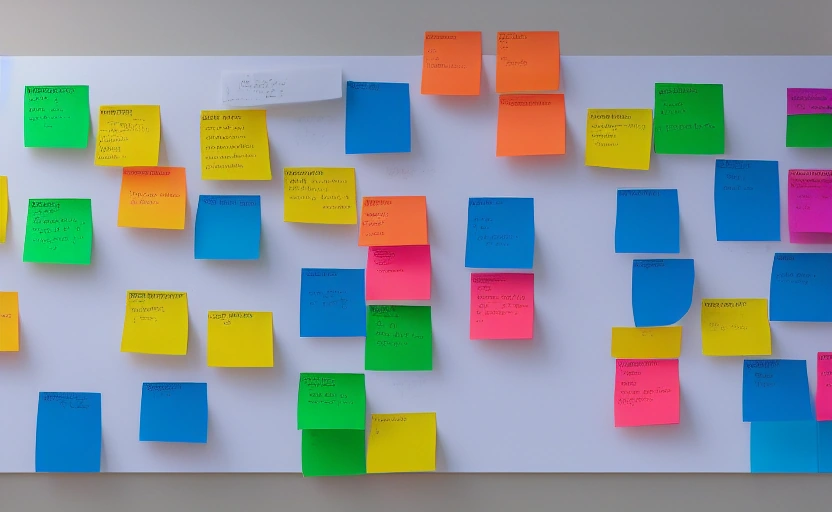
If your team's project management currently lives in a chaotic mix of email threads, sticky notes, and endless spreadsheet tabs, you're not alone. For marketing teams, operations squads, HR departments, and creative agencies, the world of project management software can seem intimidatingly technical. Trello boards look like puzzles, Jira feels like it was built for engineers, and Asana's notifications can overwhelm. But effective project management isn't about complex jargon or coding skills—it's about clarity, collaboration, and getting things done. The right tool acts as a central nervous system for your team's work, transforming ambiguity into action. This guide cuts through the noise to help non-technical teams find a platform that feels like a natural extension of how they already work, not a foreign language they need to learn.
Why Generic Tech Tools Fail Non-Technical Teams
Many teams make the mistake of adopting tools designed for software developers, assuming "more features" equals "better." This creates an immediate barrier to adoption. The average marketer doesn't need to track story points or manage sprint cycles. They need to plan a campaign launch, coordinate with designers, and track deliverables against a deadline. When a tool's interface is cluttered with irrelevant terminology and functions, team members disengage, reverting to old, inefficient habits.
The core issue is a mismatch between the tool's complexity and the team's actual workflow. A 2023 survey by Capterra found that 42% of non-tech teams abandoned a project management tool within six months due to poor user experience and a steep learning curve. The goal isn't to find the most powerful tool, but the most appropriate one. It should feel intuitive from day one, requiring minimal training and maximizing immediate productivity.
The 5 Non-Negotiable Features for a Non-Tech-Friendly Tool
Before comparing specific platforms, establish your baseline criteria. These are the features that make a tool genuinely accessible and effective for teams without a technical background.
- An Intuitive, Visual Interface: Look for drag-and-drop functionality, clear status indicators (like color-coded tasks), and a layout that doesn't require a manual to understand. Kanban boards are often a great starting point because they mimic the natural flow of tasks from "To Do" to "Done."
- Simple Task and Subtask Creation: Adding a task should take seconds, not minutes. The tool must easily break down large projects into manageable steps with clear owners and due dates.
- Integrated Communication: Chasing conversations across email, Slack, and the tool itself kills momentum. Built-in comment threads on tasks keep all context and feedback in one place.
- Straightforward File Sharing: The ability to attach images, documents, and links directly to tasks eliminates the classic "Which version is this?" panic.
- Clear Reporting and Deadlines: At a glance, you should see what's on track, what's at risk, and what's overdue. Simple progress bars and calendar views are far more valuable than complex burndown charts.
Avoiding the Pitfalls: Common Mistakes in Tool Selection
Selecting a project management tool is a strategic decision, and rushing it leads to wasted time and money. The most common mistake is letting a single, loud voice (often a manager) choose a tool based on a feature list without consulting the team that will actually use it daily. This guarantees low adoption. Another pitfall is overbuying—paying for an enterprise-grade suite when a simpler, more affordable plan would suffice.
Consider the long-term costs, not just the monthly subscription. A tool that requires a dedicated admin or weekly training sessions has a hidden cost in lost productivity. The best tool for a non-tech team is one that empowers every member to be self-sufficient. It should solve more problems than it creates.
The most effective project management tool isn't the one with the most features; it's the one your entire team will actually use without complaint.
How to Evaluate a Tool: A Step-by-Step Process
Follow this practical, four-step process to make a confident decision that involves your entire team and mitigates risk.
Step 1: Conduct a One-Week Workflow Audit
Before looking at any software, spend a week documenting your team's current process. Where do bottlenecks occur? How do you currently assign tasks and communicate updates? Identify the top three pain points a new tool must solve. This prevents you from being swayed by flashy features that don't address your core needs.
Step 2: Create a Shortlist Based on Core Needs
Using your pain points as a guide, research 3-5 tools known for simplicity and non-tech appeal. Look for platforms like Mewayz that offer a free tier or a generous trial period. This allows for hands-on testing without financial commitment. Prioritize tools that emphasize ease of use in their marketing.
Step 3: Run a Two-Week Pilot with a Real Project
Choose one small, real-world project and run it through your top two tool candidates. Involve a cross-section of your team in the pilot. Their feedback is crucial. Pay attention to the onboarding experience: How quickly can they create their first task? Is the mobile app useful? Track any questions or frustrations that arise.
Step 4: Make a Data-Driven Decision
At the end of the pilot, gather feedback. Which tool had higher adoption? Which one reduced the number of follow-up emails? Did it genuinely make the project easier to manage? Choose the tool that demonstrated the most significant positive impact on your team's actual workflow.
Case Study: Streamlining a Marketing Campaign with the Right Tool
A mid-sized e-commerce company's marketing team was planning a holiday campaign using a shared spreadsheet and a chaotic Slack channel. Key details were constantly missed, deadlines were vague, and the project manager spent hours chasing status updates. They switched to a visual project management tool within Mewayz's platform.
💡 DID YOU KNOW?
Mewayz replaces 8+ business tools in one platform
CRM · Invoicing · HR · Projects · Booking · eCommerce · POS · Analytics. Free forever plan available.
Begin gratis →They created a board with columns for each stage: Ideation, Content Creation, Design, Approval, and Scheduled. Each task card contained the brief, assigned team member, due date, and all relevant files. Comments were centralized. Within one campaign cycle, the time spent on status meetings was reduced by 60%, and the campaign launched two days ahead of schedule because bottlenecks were visible to everyone instantly.
Where Mewayz Fits for Non-Technical Project Management
For teams seeking an integrated solution, Mewayz offers a distinct advantage. Instead of managing a separate project management subscription, your team's projects, invoices, client contacts, and analytics can live in one cohesive business OS. The project module is designed for clarity, not complexity, with visual boards and simple task management that anyone can grasp.
This is particularly powerful for non-tech teams who also handle CRM, invoicing, and other operations. The context switching between five different apps disappears. When a project is completed, creating an invoice for the client or logging the time for payroll can happen within the same system, saving administrative headaches and reducing errors. Starting on the free tier allows a team to fully vet the project management capabilities before any financial commitment.
Building a Project Management Culture, Not Just Installing Software
Implementing a new tool is only half the battle. The real transformation happens when the team embraces a culture of clear communication and accountability. The tool should facilitate this, not dictate it. Establish simple norms: Every task must have one owner. Critical feedback should be given in task comments, not DMs. The project board should be the single source of truth for the project's status.
Lead by example and celebrate the wins that the new tool enables. When a project finishes smoothly, highlight how the clear visibility helped the team succeed. This reinforces the value of the new process and turns the tool from a piece of software into an indispensable part of your team's DNA.
The Future is Integrated and Frictionless
The evolution of project management for non-technical teams points toward seamless integration. The tools that will win are those that connect project workflows directly to other business functions—like automatically generating an invoice from a completed project or populating a CRM record from a new client intake form. This eliminates redundant data entry and gives non-tech teams a holistic view of their work and its impact on the business. The goal is to spend less time managing the tool and more time doing the meaningful work that drives your organization forward. By choosing a tool that aligns with your team's real-world needs, you're not just buying software; you're investing in clarity, efficiency, and a more collaborative future.
Frequently Asked Questions
What is the biggest mistake non-tech teams make when choosing a project management tool?
The biggest mistake is selecting a tool based on a long list of features rather than its ease of use. This leads to low adoption as team members find the software too complex and revert to old habits.
Can we use a free project management tool for a team of 10 people?
Yes, many tools like Mewayz offer robust free tiers that are perfect for small teams. They provide core features like task management, file sharing, and collaboration without any cost, allowing you to test the platform thoroughly.
How long does it typically take for a non-technical team to get comfortable with a new tool?
With an intuitive tool, most team members can become proficient within a week. A successful rollout involves a short pilot project where everyone can learn by doing in a low-pressure environment.
What if our team works heavily with clients? Should the tool have client-facing features?
It's a major advantage. Look for tools that allow you to create guest accounts or share read-only views of project boards. This keeps clients informed without giving them access to your internal communications.
We also handle invoicing and CRM. Should we look for an all-in-one platform?
Absolutely. An integrated Business OS like Mewayz is ideal. It connects project completion directly to invoicing and client records, eliminating manual data entry and providing a single source of truth for your entire operation.
Build Your Business OS Today
From freelancers to agencies, Mewayz powers 138,000+ businesses with 208 integrated modules. Start free, upgrade when you grow.
Create Free Account →Try Mewayz Free
All-in-one platform for CRM, invoicing, projects, HR & more. No credit card required.
Verwante Gids
Projekbestuur Gids →Deliver projects on time and on budget with tasks, milestones, time tracking, and team collaboration.
Kry meer artikels soos hierdie
Weeklikse besigheidswenke en produkopdaterings. Vir altyd gratis.
Jy is ingeteken!
Start managing your business smarter today
Join 30,000+ businesses. Free forever plan · No credit card required.
Ready to put this into practice?
Join 30,000+ businesses using Mewayz. Free forever plan — no credit card required.
Begin Gratis Proeflopie →Verwante artikels
Business Operations
45+ Cross-Border E-Commerce Statistics for International Sellers (2026)
Mar 7, 2026
Business Operations
The Ultimate Salon and Spa Operations Bible: Booking, POS, Staff, and Loyalty (2026)
Mar 7, 2026
Business Operations
Case Study: How a German MSP Added Managed Business Software to Its Service Portfolio
Mar 7, 2026

Business Operations
Automate Your Social Media: A Practical Guide to Saving 10+ Hours Per Week
Mar 7, 2026

Business Operations
AI-Powered Analytics: How Small Businesses Get Big Insights Without a Data Team
Mar 7, 2026

Business Operations
Chatbots for Small Business: Maximizing ROI and Avoiding Costly Mistakes
Mar 7, 2026
Gereed om aksie te neem?
Begin jou gratis Mewayz proeftyd vandag
Alles-in-een besigheidsplatform. Geen kredietkaart vereis nie.
Begin gratis →14-day free trial · No credit card · Cancel anytime